BatteryChat Editorial Team | Last Updated: March 2026
In this comprehensive Battery Storage Guide, you will discover the essential tips and guidelines to safely store various types of batteries. Whether you have alkaline, lithium-ion, or rechargeable batteries, this article is your go-to resource for maintaining their longevity and ensuring optimal safety. From understanding the correct storage temperatures to preventing leakage and potential hazards, we’ll equip you with all the knowledge you need to keep your batteries in top-notch condition. Get ready to unlock the secrets of proper battery storage and avoid any unnecessary mishaps along the way.
Types of Batteries
When it comes to batteries, there are various types available in the market, each with its own unique features and uses. It’s important to understand the different types of batteries and how to store them safely to ensure their optimal performance and longevity. Here, we will explore some of the most common types of batteries and provide guidelines for their safe storage.
Lithium-ion Batteries
Lithium-ion batteries are widely used in portable electronic devices such as smartphones, laptops, and tablets. They are rechargeable and offer high energy density, making them a popular choice for many applications. When storing lithium-ion batteries, it is essential to keep the following considerations in mind:
- Partial Charge: Lithium-ion batteries should be stored at around 40%-60% charge to maintain their longevity.
- Temperature Range: These batteries should ideally be stored at temperatures between 20°C and 25°C.
- Avoid Extreme Temperatures: Extremes in temperature can negatively impact the performance and lifespan of lithium-ion batteries. Avoid exposing them to excessively hot or cold environments.
- Avoid Overcharging: Overcharging lithium-ion batteries can lead to overheating and reduced performance. It is important to use chargers specifically designed for these batteries and to avoid leaving them plugged in for extended periods.
- Avoid Overdischarging: Similarly, discharging lithium-ion batteries too much can result in irreversible damage. It is advisable to recharge them when they reach around 20% remaining capacity.
- Avoid High Current Draw: Lithium-ion batteries are sensitive to high current draws. Use devices and chargers that are compatible with the battery’s specifications to prevent any issues.
Alkaline Batteries
Alkaline batteries are non-rechargeable batteries commonly found in household items such as remote controls, toys, and flashlights. To ensure the safe storage of alkaline batteries, keep the following points in mind:
- Temperature Range: Alkaline batteries should be stored at room temperature, ideally between 20°C and 25°C.
- Avoid Extreme Temperatures: Extreme temperatures can reduce the overall performance and lifespan of alkaline batteries. It is crucial to steer clear of both excessively hot and cold environments.
- Proper Disposal: Dispose of alkaline batteries appropriately, following local regulations. They can typically be discarded with regular household waste.
- Avoid Overcharging: Alkaline batteries are not rechargeable, so overcharging is not a concern.
- Avoid Mixing New and Old Batteries: When using multiple alkaline batteries, it is best to avoid mixing new and old ones. Mixing different battery types or brands can result in reduced overall performance.
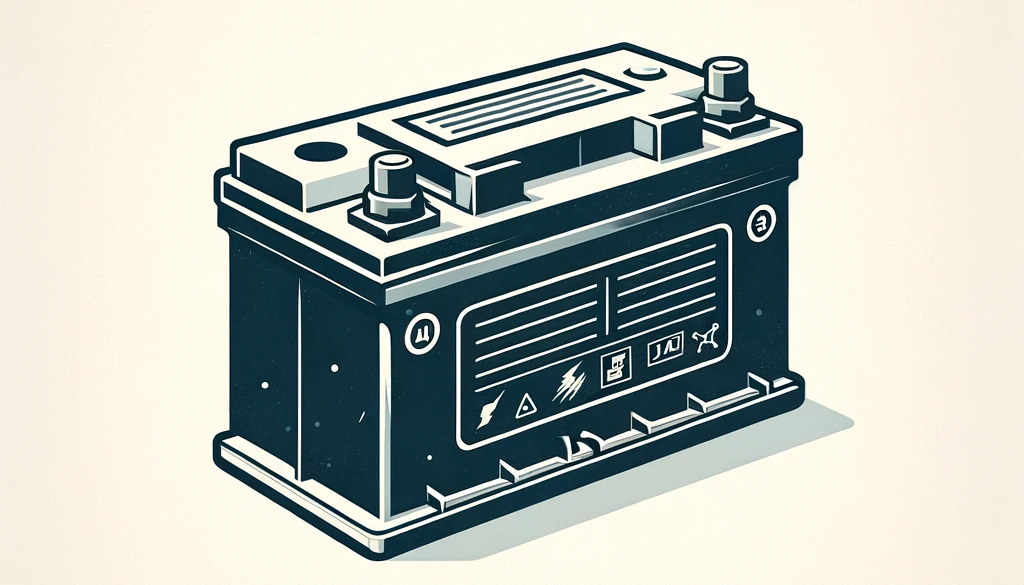
Lead-Acid Batteries
Lead-acid batteries are commonly utilized in automotive applications and for backup power supplies. To store lead-acid batteries safely, consider the following guidelines:
- Temperature Range: Lead-acid batteries should be stored at temperatures between 20°C and 25°C.
- Ventilation: Proper ventilation is essential when storing lead-acid batteries to prevent the accumulation of potentially harmful gases.
- Avoid Overcharging: Overcharging lead-acid batteries can cause the electrolyte to boil, leading to internal damage. Use an appropriate charger with a float voltage to avoid overcharging.
- Proper Disposal: Lead-acid batteries are considered hazardous waste and should be disposed of at designated recycling facilities. Consult local regulations for proper disposal methods.
- Regular Inspection and Maintenance: Periodically inspect lead-acid batteries for signs of leakage or damage. Ensure the terminals are clean and free from corrosion.
Nickel-Cadmium (Ni-Cd) Batteries
Nickel-cadmium batteries, also known as Ni-Cd batteries, were once popular but are now being phased out due to environmental concerns. Nonetheless, for those still using Ni-Cd batteries, proper storage is crucial:
- Temperature Range: Ni-Cd batteries should be stored at temperatures between 20°C and 25°C.
- Avoid Extreme Temperatures: Extreme temperatures can adversely affect the performance and longevity of Ni-Cd batteries. Avoid exposing them to excessively hot or cold environments.
- Avoid Overcharging: Overcharging Ni-Cd batteries can result in reduced performance and can even cause them to leak or explode. Ensure to use chargers specifically designed for Ni-Cd batteries and avoid overcharging them.
- Avoid Overdischarging: Similarly, overdischarging Ni-Cd batteries can lead to a decrease in performance and memory effect. Recharge them before they reach critically low levels.
- Memory Effect: Ni-Cd batteries are susceptible to memory effect, which can reduce their overall capacity. To minimize memory effect, discharge them fully before recharging.
- Proper Disposal: Ni-Cd batteries contain cadmium, a toxic material, and should be disposed of following local regulations for hazardous waste.
Nickel Metal Hydride (NiMH) Batteries
Nickel metal hydride batteries, also known as NiMH batteries, are rechargeable and offer higher energy density compared to Ni-Cd batteries. To store NiMH batteries safely, consider the following:
- Temperature Range: NiMH batteries should be stored at temperatures between 20°C and 25°C.
- Avoid Extreme Temperatures: Extreme temperatures can affect the performance and lifespan of NiMH batteries. Keep them away from excessively hot or cold environments.
- Avoid Overcharging: Overcharging NiMH batteries can lead to reduced performance and can cause them to leak. Use appropriate chargers and avoid leaving them plugged in for prolonged periods.
- Avoid Overdischarging: Overdischarging NiMH batteries can result in diminished performance and memory effect. Recharge them when they reach around 20% remaining capacity.
- Memory Effect: NiMH batteries also exhibit memory effect, but it is less pronounced compared to Ni-Cd batteries. Nonetheless, discharge them fully before recharging to minimize memory effect.
- Proper Disposal: NiMH batteries do not contain toxic metals like cadmium, but they should still be disposed of properly. Follow local regulations for the disposal of rechargeable batteries.
Zinc-Carbon Batteries
Zinc-carbon batteries, often referred to as general-purpose batteries, are inexpensive and commonly found in low-drain devices such as clocks and remote controls. To store zinc-carbon batteries safely, consider the following:
- Temperature Range: Zinc-carbon batteries should be stored at temperatures between 20°C and 25°C.
- Avoid Extreme Temperatures: Extreme temperatures can impact the performance and lifespan of zinc-carbon batteries. Keep them away from extremely hot or cold environments.
- Proper Disposal: Zinc-carbon batteries can usually be disposed of with regular household waste, following local regulations.
- Avoid Overcharging: Zinc-carbon batteries are not rechargeable, so overcharging is not a concern.
- Avoid Mixing New and Old Batteries: As with alkaline batteries, it is best to avoid mixing new and old zinc-carbon batteries for optimal performance.
Zinc-Air Batteries
Zinc-air batteries are commonly used in hearing aids and other medical devices. These batteries rely on air for their chemical reactions. Follow these guidelines to store zinc-air batteries safely:
- Temperature Range: Zinc-air batteries should be stored at temperatures between 20°C and 25°C.
- Avoid Extreme Temperatures: Extreme temperatures can affect the performance and longevity of zinc-air batteries. Keep them away from excessively hot or cold environments.
- Proper Disposal: Properly dispose of zinc-air batteries following local regulations for the disposal of button-cell batteries or hearing aid batteries.
- Avoid Overcharging: Zinc-air batteries are not rechargeable, so overcharging is not possible.
- Avoid Mixing New and Old Batteries: As with other battery types, it is best to avoid mixing new and old zinc-air batteries for optimal performance.
Mercury Batteries
Mercury batteries are almost obsolete due to their harmful environmental impact. However, if you still have devices that use them, follow these guidelines for safe storage:
- Proper Disposal: Mercury batteries contain toxic mercury and should be disposed of as hazardous waste. Follow local regulations for their disposal.
- Avoid Overcharging: Mercury batteries are not rechargeable, so overcharging is not a concern.
- Avoid Mixing New and Old Batteries: To maximize performance, avoid mixing new and old mercury batteries.
General Storage Guidelines
While each battery type has its specific storage requirements, there are some general guidelines that apply to all batteries:
Temperature
Temperature plays a significant role in battery performance and lifespan. It is best to store batteries at room temperature, ideally between 20°C and 25°C. Extreme temperatures, both hot and cold, can adversely affect battery chemistry and reduce overall performance.
Humidity
Avoid exposing batteries to excessively high humidity levels. Moisture can damage battery contacts and lead to corrosion, reducing their functionality and lifespan. It is advisable to store batteries in a dry environment.
Ventilation
Some battery types, such as lead-acid batteries, emit potentially harmful gases during charging and discharging. It is essential to store these batteries in a well-ventilated area to prevent the buildup of gases and ensure the safety of both the batteries and the surrounding environment.
Secure Storage
When storing batteries, ensure they are placed in a secure and stable location. Avoid storing them in areas prone to accidents or where they can be knocked over, which could cause physical damage to the batteries and potentially result in leaks or explosions.
Protection from Physical Damage
Batteries should be protected from any physical damage that may compromise their integrity. Avoid dropping or mishandling batteries, as this can lead to leakage or a significant decrease in performance. It is also crucial to keep batteries away from sharp objects or other metallic items that could cause a short circuit.
By following these guidelines for each specific battery type and general storage considerations, you can ensure the safe storage of your batteries. Adhering to these practices will enable you to maximize battery life, maintain optimal performance, and minimize any potential risks associated with battery storage.