LED Flashlights: Durable, Reliable And Efficient

Posted by admin on May 5th, 2010

Flashlights can be an important part of a household. You simply never know when the electricity might go off or an emergency will take place. For emergency situations, outdoor activities or a backup in the car, a flashlight can play an important role. Traditional flashlights have not always been dependable. The batteries die quickly and without notice, the bulbs do the same and the light output fades without warning.

With LED technology, the world of flashlights has gotten a lot brighter. LED flashlights are one of the best investments in equipment you can make because they will last longer, be much more durable, and be even more dependable than regular flashlights. Many home owners and outdoor enthusiasts are choosing to replace their existing regular flashlights with LED versions because they have proven to be a more dependable, superior product that can be counted on.

LED flashlights have many useful and unique features. The bulbs are long lasting - most bulbs will last for a minimum of 60 hours of continuous use before needing to have the batteries changed. They are also built to withstand drops and extreme temperatures without effecting the light brightness or lifespan of the bulb. This durability is unmatched by traditional flashlights. With the longer bulb life and extreme durability, the health of your flashlight will be one less thing for you to worry about.

These handheld lights also put out an intense and bright light. The newest white LED lights measure 60 times brighter than standard flashlight bulbs. The light will stay bright and strong and will remain so until the battery and bulb start to run low - after several hundred hours of continuous use.

LED flashlights are also much more energy efficient than other types of flashlights. Batteries will last 10x longer in an LED flashlight than in any traditional flashlight because of the power efficiency of the technology. This means that fewer batteries will make their way into landfills every year. You can also use rechargeable batteries in these flashlights (many brands sell rechargeable batteries with their LED products) which results in never having to throw any batteries away.

LED flashlights are an important investment for you to make. Besides being good for the environment, they are good for your family. When the lights go out, or when you need to find light quickly, you don’t want to be worrying about whether or not your flashlight will come on. You may have a situation where you cannot afford to be hunting in drawers for fresh batteries or trying to find another flashlight that works. With LED flashlights, you can trust that they will work the first time, every time. They are durable as well, which means that whether you are taking them camping, throwing them in the trunk of your car, or simply shoving them in a kitchen drawer, they won’t break on you and will still be ready to use when you get around to pulling them out. For a quality investment that will help you protect your family, you should turn to LED flashlights.

~Ben Anton, 2008

Ben Anton
http://www.articlesbase.com/home-improvement-articles/led-flashlights-durable-reliable-and-efficient-325341.html

How to Re-calibrate Your Laptop Battery?

Posted by admin on May 3rd, 2010

It is difficult to predict how long a laptop battery charge will last because each computer user has different habits and needs. The rate at which you use laptop battery power will determine how long you can use the battery of your laptop. You can re-calibrate your laptop battery if the battery’s life has gotten shorter over time. Your laptop battery might need a good calibration if it doesn’t seem to be getting the mileage that it should. How to re-calibrate laptop battery? The following paragraphs will give you the answer.
First put the laptop computer to sleep by turning off the screensaver and other power management settings of the computer. Then fully charge the computer and allow it to run all the way down until the computer shuts off automatically. Once the laptop battery has fully drained, charge it back up again and restore the screensaver and power management settings.
Re-calibrate your battery every month or so by fully charging, fully discharging, and then fully charging again. Basically to have a chance to re-calibrate your laptop battery is to turn off all power-saving features completely and then fully recharge them. If it doesn’t work for the first time then try two more full discharges and recharges.
The above way of re-calibrating the  laptop batteries works well with laptops using Ni-MH cells. But not with laptops using Li-Ion batteries because deep discharges will actually decrease the charge capacity and lifespan of Li-Ion cells. Moreover Li-ion batteries irreversibly lose approximately 20% capacity per year from the time of manufacture at a typical 100% charge level at 25deg.C, even when unused. Li-ion batteries irreversibly lose approximately 2%, 4%, 15% at 0deg.C, 25deg.C and 40deg.C respectively, when stored at 40% charge level. That is every deep discharge cycle decreases the capacity of the Li-ion batteries. As the Li-Ion batteries are chemical in nature, charging and recharging is not going to fix the problem once the chemical reactions stop happening. Therefore the best advice for re-calibrating the Li-Ion batteries is to store the battery at 40% charge if it kept unused for any unlimited period of time. Also don’t leave the battery in the laptop if you don’t use the battery or if you plug the laptop into outlet power.
You can also re-calibrate your laptop battery using IBM Thinkpad Battery Maximizer in order to maximize your laptop battery’s life. If your laptop has IBM ThinkPad Battery MaxiMiser and Power Management features installed, you can verify the condition of the laptop battery. You can check the status of your battery using the Battery MaxiMiser Gauge in the taskbar tray. The ThinkPad’s Lithium Ion battery pack that seems to be an intelligent battery uses a microprocessor to monitor its capacity. Then the microprocessor of the battery pack passes the information about the remaining battery capacity to the laptop. The laptop indicates the capacity with high accuracy.
Using the HP Laptop Battery Learning Utility, a modified version of a Win98 boot floppy, can also help you. Just place it in the floppy drive, and then turn on the computer. The re-calibration process is automated and takes about six hours to finish. This utility is available in different versions for different models. You can run the utility every two months.
If the laptop battery is still bad then it must have developed a memory that cannot be erased easily. If calibration doesn’t help, then it is the right time to purchase another battery.

kevin moshayedi
http://www.articlesbase.com/business-articles/how-to-recalibrate-your-laptop-battery-672242.html

What Do Mobility Scooters Consist Of?

Posted by admin on May 3rd, 2010

What Do Mobility Scooters Consist Of?

Mobility Scooters usually consist of a base unit, the drive chain, the seat, and tiller, as well as the batteries and wheels. The base unit is the chassis that the other components are attached to. This chassis provides the area where the feet go in between the tiller and the batteries or drive chain. The drive chain is the part that powers the scooter. The tiller is the handlebar that steers the mobility scooter.

Front wheel drive mobility scooters have the drive train just over the front wheel. These sorts of scooter have a smaller weight capacity and are much more suited to indoor use than outdoor use compared to a rear wheel driver mobility scooter. They directly drive the front wheel, and so are not as good up hills as rear wheel drive scooters. Front wheel drive scooters also tend to be small/boot scooters rather than larger pavement or road legal scooters. Rear wheel drive mobility scooters use a chain, belt or transaxle mechanism to drive the rear wheels. Rear wheel drive scooters “push” the rider whereas front wheel drive scooters “pull” the rider. This offers more power and efficiency and so provides a better ride, and allows the scooter to go up steeper hills.

Mobility scooters use electro magnetic regenerative brakes which work by slowing and then stopping the scooter as soon as the user releases the controls. When the brakes are applied, the batteries are recharged by the excess power from the motor. This type of brake means that a separate hand brake is not necessary, and that the scooter can be left on a slope without fear of it rolling away. Most mobility scooters have a freewheel mode so that the scooter can be moved with out it being switched on, perhaps for storage, or in case of an emergency.

The batteries on a mobility scooter are not the same as car or motorcycle batteries, and should not be substituted. Car and motorcycle batteries are starter batteries, designed to provide short bursts of power. The batteries should be charged and looked after as per the mobility scooter manual.
The number of wheels and size and type of tyre affect the stability and ride quality of the mobility scooter. Smaller scooters tend to have small solid tyres, which don’t offer the same ride quality as bigger scooters with larger pneumatic tyres. Three wheel scooters offer more legroom and a smaller turning circle compared to a four wheel scooter, but the stability can be compromised.

Mobility scooter seats often have folding armrests, and swivel to aid getting on and off the scooter. The seat is often padded to provide more comfort. Some models have a larger Captain or Admiral seat, which is more like a car seat, and may offer more adjustment than a standard seat. The larger, more comfortable seats are normally found on the larger scooters as the scooter has a larger range, so the distance travelled could be almost double that of a small scooter. Almost all seats are adjustable for height, some adjust for reach, and some even recline like a car seat.

The tiller controls the direction, and speed of the mobility scooter, and is like a bicycle handle bar. The scooter moves by either pulling or pushing the lever on the tiller (called a wigwag). Some models of scooter have a Delta tiller meaning that the user can either pull with the fingers (like a bicycle brake) to make the scooter move, or push with the thumb. This tiller is ideal for people with limited hand mobility or who have one hand much better than the other. This means they can use the same hand for both moving forward and reversing. The control panel on the tiller includes the battery gauge, the speed control, and the horn and light controls, where fitted.

The scooters speed is usually controlled by a rotary control, which ranges from low speed to high speed. On some 6 and 8mph mobility scooters there is a switch that lowers the top speed from 6/8 mph to 4mph to make it pavement legal.
Mobility Scooters are designed to be simple to understand and operate, and so shouldn’t be intimidating.

For more information about mobility scooters, please visit www.scootamart.com

Www.scootamart.com Staff
http://www.articlesbase.com/health-articles/what-do-mobility-scooters-consist-of-47246.html

Tips for digital camera battery maintenance

Posted by admin on April 29th, 2010

For a digital camera battery, the length of using time, not only relate with the quality, power, in fact, the user’s operation also has great relevance. Most photographers are accustomed to place the camera inside the camera bags after use, or placed inside cabinets, batteries are not out to save individually, this approach sounds like no problem, but not conducive to battery protection.

Generally speaking, if you do not use the camera more than 15 days, then best to remove the battery from the camera to separate storage, preservation of the environment is best dry and shady place, and do not store the battery together with metal objects.

According to our survey, currently in the market the majority of digital cameras use lithium batteries, it is relatively easy storage. The only caveat is that if not used for a long-term, preferably at intervals of 2 months, once to activate the battery, that is, charge and discharge, this can effectively extend battery life.

As for the Ni-MH battery, the memory effect will reduce the total capacity of the battery and the using time, and as time goes on, stored charge will get less and less , the battery also will be consumed faster and faster. Therefore, we should try to recharge after power all used up, each charge must be sufficient.

If you go out and temporary use the alkaline batteries, you must remember takeing out in time, or else if not used for a long time, the battery is easy to corrupt circuit, the camera could not escape the scrapped destiny . 

For the rechargeable Ni-MH batteries and lithium batteries. For just bought back the general power is very low or no power, the first charge must be adequate. Lithium battery charging time are generally more than 8 hours, while the Ni-MH battery charging time are generally more than 16 hours. To achieve the best results, that is, the battery reached its maximum power, there are generally three or more times repeated charge-discharge. Battery tend to be more heat after charging, it is best to be cooled and then loaded camera battery.

However, note that the lithium batteries don’t have memory effect, so do not discharge, otherwise it will destroy the battery structure, and loss of battery life.

In addition, in order to avoid the loss of electricity, remove the battery after charge, do not let the battery poles in contact with conductors at the same time, for example, do not use your fingers at the same time at both ends of the battery contacts. The lithium batteries users should try to keep the camera battery box battery positive and negative contact points clean, if necessary, you can use a dry cloth gently wipe the swab and then install the battery.

leo

Sanyo Eneloop: High Performance Guaranteed

Posted by admin on April 29th, 2010

These new kind of batteries were developed by SANYO. Here they combined the advantages of rechargeable batteries with the advantages of disposable batteries. These eneloop batteries can be used very after the purchase and consistently capitulate high performance. The major advantage these eneloop batteries carry may include the long shelf life with no loss of optimum energy and they are used anywhere as they come environment friendly. These batteries put up to four times more power and high performance when used in a digital camera even at low temperatures during your winter vacations.

Sanyo eneloop can be used in all devices being rechargeable; it can be used more than thousand times without any need to dispose of the dry cell battery. Comparatively it is more powerful and longer-lasting than dry cell batteries and superior low-temperature electrical discharge performance. Interestingly these batteries show very low self-discharge rate, in explanatory terms one can charge them any time, store them until needed, and then use them. Once charged, it can be used repeatedly, and once used completely it can be recycled again.

The Eneloop battery has very low self-discharge utility and for this reason, they are charged and ready to use from very beginning. Under low temperature eneloop batteries display superior power characteristics and longer power, that makes it an obvious choice for outdoor use. By recharging the eneloop, it can be used 1000 times over and is comparatively more capable than the use once and throw away dry cell batteries. While normal rechargeable batteries lose their charge over time, eneloop technology facilitates these batteries to keep most of it charge over year so you can left your digital camera or flashlight and will be all set to go when you are.

Eneloop can be charged up to 1,000 times. While the initial cost of rechargeable batteries is higher and savings while using eneloop are incredible. In addition eneloop, like other nickel metal hydride rechargeable batteries, have negligible memory and do not need to be fully discharged before recharging. Being environmentally friendly and easy to use, eneloop can be used anywhere and can be recharged replacing 1000 disposable batteries. Eneloop batteries are rated at 2000 mAh and one more thing to be considered is that these batteries can be charged using the normal chargers. Eneloop maintains its low self discharge rate and stability even in temperatures as low as -4 to -5 degrees Celsius.

Article Manager
http://www.articlesbase.com/electronics-articles/sanyo-eneloop-high-performance-guaranteed-714781.html

How Do I Replace the Battery for Laptop or Notebook?

Posted by admin on April 27th, 2010

If the charge in your laptop battery is dying out noticeably faster, you may need to replace it. Battery performance is affected by many factors like the environment, age and frequency of utilization.

Every battery has a certain number of charge cycles specified by the manufacturer and indicates the number of times you can charge it - this figure is around 400 - 1200 for a standard Lithium-ion laptop battery. Once this limit is crossed, the performance begins to deteriorate.

Depending on the devices available in the laptop and their usage, the battery might be able to power it for 2-3 hours before it needs to be recharged. Normal lifetime is in the range of 1.5 - 2 years. If you use the laptop continuously and recharge the battery several times a day; it may need to be replaced well before the time frame specified by the manufacturer.

These steps must be followed for battery replacement:

1. Buy a New Battery - Make sure you purchase a replacement that is compatible with your laptop.

2. Unpack the New Battery - Remove all packaging material and keep have the new battery ready to be popped in immediately.

3. Undock Laptop - If your laptop is connected to a docking device, you need to unlock it before attempting to replace the battery.

4. Turn Off Laptop - You may not want to lose any files you are working on or risk corruption of software, so it may be better to turn off the laptop.

5. Unplug AC Power/Internet Connection - It is a good practice to disconnect your laptop from the AC outlet, Internet and Telephone before replacing the battery.

6. Flip the Laptop Over - Most laptops have the battery release mechanism on the underside of the laptop. If you are not sure where you should look you can refer to the documentation of the laptop or have Technical support guide you.

7. Unlock and Remove Old Battery - Laptop batteries usually use a two-step locking mechanism, first there are latches that need to be released and then a sliding motion has to be performed to release it completely. Your documentation can be invaluable in this.

8. Position New Battery - Follow the reverse process for fixing the new battery. First slide and then latch the new battery. If the latches get stuck, you may need to adjust the positioning.

9. Charge Battery - Bring laptop to usual position; replace all the cables that you disconnected earlier, including the AC power. Charge your battery for the duration specified by the manufacturer before using it.

Pinky Mcbanon
http://www.articlesbase.com/computers-articles/how-do-i-replace-the-battery-for-laptop-or-notebook-709833.html

Battery Faq’s

Posted by admin on April 27th, 2010

Each type of rechargeable battery chemistry has its own unique characteristics:

NiCad and NiMH:

The main difference between the two is that NiMH battery (the newer technology of the two) offers higher energy density than NiCads. In other words, the capacity of a NiMH is approximately twice the capacity of its NiCad counterpart. What this means is for you is increased run-time from the battery with no additional bulk or weight. NiMH also offers another major advantage: NiCad batteries tend to suffer from what is called the “memory effect”. NiMH batteries are less prone to develop this problem and thus require less maintenance and conditioning. NiMH batteries are also environmentally friendlier than NiCad batteries since they do not contain heavy metals (which present serious landfill problems). Note: Not all devices can accept both NiCad or NiMH batteries.

Lithium Ion:

Lithium-Ion (Li-Ion) has become the new standard for portable power in consumer devices. Li-Ion batterys produce the same energy as NiMH battery but weighs approximately 20%-35% less. This is can make a noticeable difference in devices such as cellular phones, camcorders or notebook computers where the battery makes up a significant portion of the total weight. Another reason Li-Ion batteries have become so popular is that they do not suffer from the “memory effect” at all. They are also environmentally friendly because they don’t contain toxic materials such as Cadmium or Mercury.

Is it Possible to Upgrade the Device’s Battery to a newer Chemistry?

Maybe. NiCad, NiMH and Li-Ion are all fundamentally different from one another and cannot be substituted unless the device has been pre-configured from the factory to accept more than one type of battery chemistry.

Please refer to your manual to find out which rechargeable battery types the particular device supports or use our Battery Quick Finder Wizard to find all the compatible battery for your device. It will automatically list all of the battery types supported by the your specific device.

My new battery isn’t charging. Is it defective?

Usually NO. New batteries come in a discharged condition and must be fully charged before use. It is recommended that you fully charge and discharge the new battery two to four times to allow it to reach its maximum rated capacity.

It is generally recommend an overnight charge (approximately twelve hours). It is normal for a battery to become warm to the touch during charging and discharging.

When charging the battery for the first time, the device may indicate that charging is complete after just 10 or 15 minutes. This is a normal with rechargeable batteries. New batteries are hard for the device to charge; they have never been fully charged and not “broken in.” Sometimes the device’s charger will stop charging a new battery before it is fully charged. If this happens, remove the battery from the device and then reinsert it. The charge cycle should begin again. This may happen several times during the first battery charge. Don’t worry; it’s perfectly normal.

How can I maximize the performance of my battery?

There are several steps you can take to help you get maximum performance from your battery:

Prevent the Memory Effect - Keep the battery healthy by fully charging and then fully discharging it at least once every two to three weeks. Exceptions to the rule are Li-Ion batteries which do not suffer from the memory effect.

Keep the Batteries Clean - It’s a good idea to clean dirty battery contacts with a cotton swab and alcohol. This helps maintain a good connection between the battery and the portable device.

Exercise the Battery - Do not leave the battery dormant for long periods of time. We recommend using the battery at least once every two to three weeks. If a battery has not been used for a long period of time, perform the new battery break in procedure described above.

Battery Storage - If you don’t plan on using the battery for a month or more, store it in a clean, dry, cool place away from heat and metal objects. NiCad, NiMH and Li-Ion batteries will self-discharge during storage; remember to recharge the batteries before use.

Sealed Lead Acid - (SLA) batteries must be kept at full charge during storage. This is usually achieved by using special trickle chargers. If you do not have a trickle charger, do not attempt to store SLA batteries for more than three months.

What is “Memory Effect”?

What are volts and milliamp-hours (e.g. 6.0V - 1800mAH)?

Can I recycle my old battery? How?

Yes, we can assist in battery recycling. Please view the information that is provided under our “Battery Recycling” option.

How long will my new battery run?

What is a “smart” and “dumb” Battery?

Smart batteries have internal circuit boards with smart chips which allow them to communicate with the notebook and monitor battery performance, output voltage and temperature. Smart batteries will generally run 15% longer due to their increased efficiency and also give the computer much more accurate “fuel gauge” capabilities to determine how much battery running time is left before the next recharge is required.

8. How Are Batteries Rated? (What Are Volts and Amps?)

There are two ratings on every battery: volts and amp-hours (Ah). The Ah rating may also be given as milliamp-hours (mAh), which are one-thousandth of an amp-hour (for example, a 1Ah battery is 1000mAh). Amp-hours are a rating of the amount of energy that a battery can store. Another way of looking at it is to say that the higher a battery’s amp-hour rating is, the longer the battery’s run-time will be. Some of our batteries will have higher amp-hour ratings than the original battery found in your device and will not cause any incompatibilities. On the other hand, while the voltage of the Hi-Capacity battery may not be identical to the original battery, the voltages must be within a reasonable range. In order to rate the voltage of the cell, a voltage value between 3.0 and 4.2 must be picked. The voltage that is picked is called the “nominal” voltage, which means that it is for naming purposes only, whereas the actual voltage of the cell depends on the state of charge. Historically some manufacturers picked 3.6V while others picked 3.7V to name the cell. The functionality and performance of either cell is identical and cannot be differentiated by the device. The explanation above applies to a single Li-Ion cell in series. When a battery has two or more Li-Ion cells in series, the voltage is multiplied by the number of cells in series, as in the table below:

Number of Li-Ion cells in series

Nominal voltage

Type of device

1

3.6V or 3.7V Cell phones and Digital cameras

2

7.2V or 7.4V Digital cameras and camcorders

3

10.8V or 11.1V Laptops

4

14.4V or 14.8V Laptops

Thus,

A Li-Ion battery labeled 3.6V is the same as a Li-Ion battery labeled 3.7V.

A Li-Ion battery labeled 7.2V is the same as a Li-Ion battery labeled 7.4V.

A Li-Ion battery labeled 10.8V is the same as a Li-Ion battery labeled 11.1V.

A Li-Ion battery labeled 14.4V is the same as a Li-Ion battery labeled 14.8V.

9. How Long Do Batteries Last (What is the Life Span of My New Battery)?

The life of a rechargeable battery operating under normal conditions is generally between 500 to 800 charge-discharge cycles. This typically translates into one and a half to three years of battery life for the average user. As your rechargeable battery begins to die, you will notice a decline in the running time of the battery. When your two hour battery is only supplying you with an hour’s worth of use, it’s time for a new one..

Anmol Taneja
http://www.articlesbase.com/hardware-articles/battery-faqs-704407.html

Midtronics automotive Battery Tester. EBT-155 plus Manual or instructions.?

Posted by admin on April 21st, 2010

I have just bought an Exide/Midtronics EBT-155 Plus Electronic Battery Tester. I have worked out how to use it by using the manual from the similar PBT-200 tester but there are some functions that I don’t know how to use.

If you have a manual, quick reference card or instructions for the 155+ could you scan and email them to me. If you know an on-line resource I can use, that would be even better. I have tried Google and the Midtronics and Exide websites without success.

I know what most of the LED readings mean, they are self explanatory, but what does it mean when one of the coloured indicator lights (Red, amber, green) is flashing?

Thanks.

Contact the company direct and get the details,also for a few dollars give them the model # and they will be more than glad to send you a manual . I have lost or misplaced manuals and have done the above.

A Way to Extend Laptop Battery Time to 40 Hours is Discovered

Posted by admin on April 15th, 2010

Stanford University, the newly discovered laptop battery life of up to 40 hours
Stanford University researchers has made a major discovery, notebook battery can run once a day or even longer.

     Researchers have found a way to make lithium-ion battery storage capacity 10-fold increase, which may be notebook battery life from the current 4 hours extended to 40 hours.

Cui said that the battery capacity of the increase is due to use of a new type of silicon nanowire anode. Traditional lithium-ion batteries use graphite as the anode, which limits the anode can be attached to the number of lithium ion, but also limiting the battery life.

We can thank Stanford University Assistant Professor Yi Cui and his buddies at the Department of Materials Science and Engineering for this breakthrough. Scientists have known for a long time – the article says 30 years – that silicon anodes would extend the charging capacity theoretically. But when you add lithium, the silicon anodes would change volume by 400 percent, according to the Sci-Tech Today article.

Cui and his amigos figured out the anode could hold 10 times the lithium if they used a sponge-like network of silicon

if commercialized successfully, could mean laptop battery life extended tenfold from what we know now. The breakthrough came about when researchers replaced the battery anode’s typical graphite nanowires with silicon ones. The Stanford team has filed a patent for the technology and estimates the potential two-day batteries could hit the market within several years.

Good fellas at the Stanford Tech are researching and developing a battery that will be able to keep you notebook powered for a whopping 40 hours! This new kind of lithium ion battery will be available in a few years time. Stanford Tech researchers including Professor Yi Cui and his team have brought alive an old but abandoned method for charging the batteries: Silicon anodes. These have a theoretical capacity ten times larger than that of the graphite anodes currently used, but were left for dead, as they expand up to 400 times when charged, smashing themselves in the process. However, if the silicon is made into nanowires the problem diappears.

johnxuster
http://www.articlesbase.com/hardware-articles/a-way-to-extend-laptop-battery-time-to-40-hours-is-discovered-728952.html

How to Change a Dead Vehicle Battery

Posted by admin on April 13th, 2010

As you walk back to your car after a night out, you realize to your horror that you left the headlights on. As expected, the battery is dead and the car won’t start. The best thing to do is to flag down a car and ask for a jump to quickly jolt the battery back to life. 

You should always keep a set of jumper cables in the trunk so you can get a jump if you need it because you never know when the battery will fail; but if tinkering under the hood isn’t your style, there are several products on the market designed to make the process easier. There are jumper cables that connect one car to another through the cigarette lighters, eliminating direct contact with the car batteries. There are also car starters that plug into the cigarette lighter and jump start the battery at the push of a button; these products are convenient because they don’t require that you rely on the kindness of strangers or that you leave the comfort of your car to jump start the battery. 

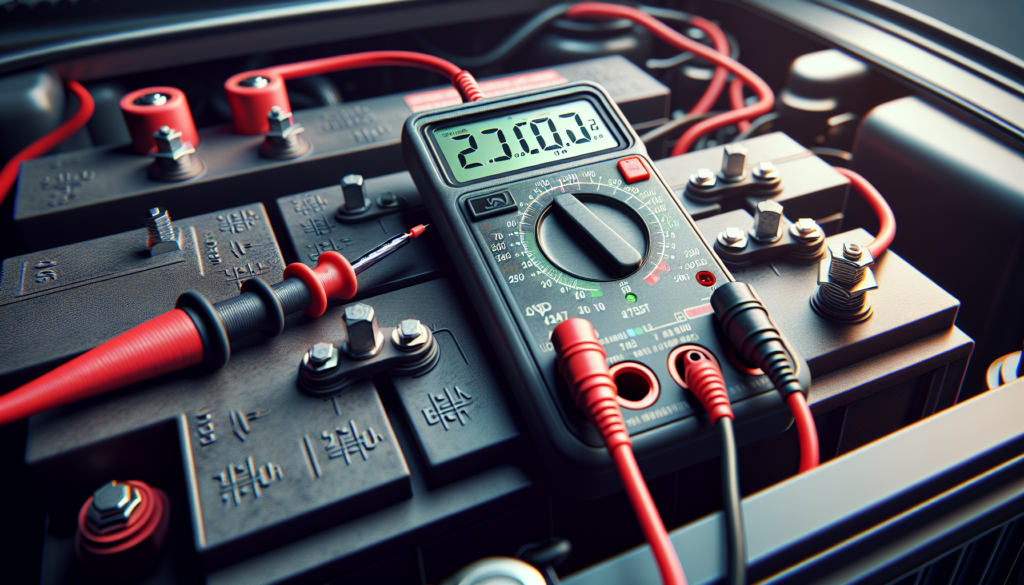
Aside from leaving the headlights on for prolonged periods of time, a car battery may fail because it needs to be replaced or because there is a charging problem due to a faulty alternator. It’s a good idea to invest in a multimeter, an instrument that makes various electrical measurements, so you can check the electricity circulating through the battery and its surrounding components. This will prevent you from replacing the battery prematurely or unnecessarily if the problem is not the battery. 

A multimeter can be analog or digital and is usually a rectangular box with two leads coming out of it; the positive lead is red and the negative lead is black. With a mutimeter, you can test the voltage of a car battery by setting the device to the volt scale and placing the positive lead onto the positive battery terminal and the negative lead onto the negative battery terminal. If you get a very low reading, you should think about replacing the battery. You can also test the fuses by disconnecting the battery terminal, setting the device to the ohm scale and placing both leads on the fuse legs. This is done to see if there’s electron flow within the fuse, which would indicate it’s working properly. And finally, you can make sure the alternator, which is part of the car’s battery charging system, is working properly by comparing the voltage in the battery when the car is off to when the car is on. If when the car is on, the voltage is higher, the alternator is working properly. Check the car manual for information about the car battery and the surrounding components. 

If you need to change the car battery, the first step is to purchase a new one. Buy the same kind of battery you currently have in your car or check the car manual for battery specifications. 

Follow these 10 steps to easily replace your car battery: 

1- Locate the battery under the hood.  

2- Disconnect the cable terminals from the battery terminals starting with the negative side. Pay close attention to the position of the battery terminals 

3- Remove the battery bracket. 

4- Clean the inside of each cable terminal with a wire brush. 

5- Place the new battery into the slot with the battery terminals in the same position as the old battery  

6- Replace the battery bracket  

7- Connect the cable terminals to the battery terminals; make sure they are tightly secured.  

8- Start the engine to test the battery.  

9- Dispose of the old battery in accordance with local laws or drop it off at a local auto parts store or recycling center.  

For an illustrated step by step guide to replacing your car battery, please visit: http://www.ehow.com/video_512_replace-car-battery.html

Levi Quinn
http://www.articlesbase.com/automotive-articles/how-to-change-a-dead-vehicle-battery-743039.html

Theme by Theme by Web Refill

Designed by: | Brought by